








The Cashiers Office helps Cedarville University students and families manage student account billing, make payments, grant parent access, and find the financial information they need.
Pay Your Student Account Balance
View your current balance, make a payment, or learn about available payment methods for your student account.
Students and authorized users can make payments in person, through the mail, or online. Review payment options before submitting your payment to understand processing times, accepted methods, and any applicable service fees.
Understand Your Student Account
Not sure what a charge means or how to review your account activity? These resources can help you understand charges, payments, credits, financial aid, and account history.
-

Understanding Account Activity
Watch VideoLearn how to read your student account and review charges, payments, and credits.
-

-

Financial Terms and Conditions
Review Financial Terms and ConditionsReview important billing, payment, and student account policies. Terms and conditions must be signed each semester.
-
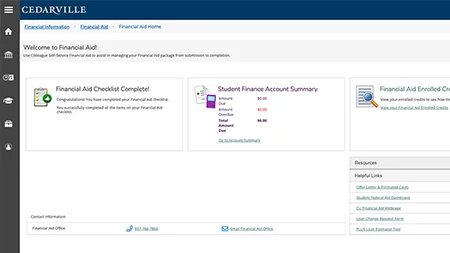
Self-Service Financial Aid
View Financial AidAccess your financial aid information through Self-Service tools.
Access Resources for Parents and Authorized Users
Parents and family members can help manage billing and payments after the student grants the appropriate access. Use these resources to set up access, make payments, or review account information.
Note: For privacy and security, students must authorize parent or family access before account details can be shared.
Explore Additional Resources
Find helpful information about refunds, tax documents, and meal plan billing.
-

Costs
View Cost InformationSee current costs associated with tuition, housing, food, and other fees.
-

-

Refunds
View Refund Policy and InformationUnderstand the refund process for class withdrawals, University withdrawals, and account overpayments.
-

Frequently Asked Questions
How do I pay my bill?
Students and authorized users can make payments online through the student account payment portal.
Pay My BillHow can a parent or family member access billing information?
In accordance with the requirements of the Family Educational Rights and Privacy Act (FERPA), students must grant parent access before account information can be viewed or discussed.
Set Up Parent AccessWhere can I see my current balance?
Students can review charges, credits, payments, and balances through their student account.
How do refunds work?
Refunds are processed according to Cedarville University’s refund policy.
View Refund PolicyWhere do I find tax documents?
Eligible tax documents are available through the student account resources.
Find Tax DocumentsCan I get a payment plan?
Payment plans are available for most students.
See Payment Plan Options